>_ feed
Greg Aper
Design x AI Specialist
Flashback Friday! Of all of the things I've created with AI over the past 4 years, Jane and Chronicle are my favorites. She just slays me with cuteness. And she's..... wait for it.... *crafty*. 🤣
Jane Flashback
♥ 3 · comments 4 · share
Greg Aper
Design x AI Specialist
Claude Code is a ludicrously powerful tool for designers. If you've been thinking about picking it up, want to quickly ramp up your skills, or build your own personal agent, I have a fun, hands-on course coming up for you. Claude Code is the most powerful tool I've used in my 25+ year career. If you've tried customizing LLMs or created GPTs or workflows, you have probably felt the pain of investing time in something that only made you less productive, more frustrated, and in the end you just stopped using it. You earned the scar. Many AI solutions that are billed as productivity & automation tools require more management and attention budget than doing things yourself. I have that scar, too. A Claude Code agent is different because: 1. You can make it as comfy as you want. You can personalize it and adjust its behaviors to fit you like a glove. No friction. No robotic code-bro. Choose the mattress hardness. Fluff the pillows. 2. What do you want to do? Asking cause it can do everything. Proposals, strategies, research, file organization, project management, UX/UI design, web, apps, presentations, branding, hardware design, animations, videos. You name it, it can do it. Combine all of those things? ✅ 3. It expands your skillset. Fast. You can seriously expand your skillset in days. You're a designer, a creator. You have the expertise & the vision. The agent gives you the ability to bring all of that to life without having to know the tools. 4. It's app-agnostic. Personal & business flexible. A Claude Code agent is not dependent on any app or tool for performance or functionality. It uses the apps you choose. 5. Connect any app or tool that's connectable. Claude Design? Figma? Cursor? Slack? Google? The list of tools you can connect to your Claude Agent is insanely long. 6. The apps are just tools. You hired the master mechanic. Apps become just another tool in the Claude Code agent's toolkit. Something like Figma Agent or a Notion agent is just a tool - you are creating a master mechanic. It does require an investment in time. But you are investing in beachfront property, not a new car. A Claude Code agent is an investment that only increases in value & never becomes obsolete. And you need not get the scars! Give me 9 hours. I'll teach everything you need to know to be proficient. I'll show you how to build it to fit they you work & what you want to do. I'll help you build your first Claude Code agent that you can start work with immediately. No code required. **** https://lnkd.in/gA6h-cxC If you're interested in learning Claude Code & building your own agent, my Claude Code class starting on Oct 6. 🤩 Chill, no Claude Code experience required, hang out in the course Slack channel & kibitz with my Claude Code agent, Max. 😎
Claude Code for Designers by Greg Aper on Maven
♥ 5 · comments 0 · share
Greg Aper
Design x AI Specialist
Frustrated because Figma Agent isn't smart & Claude Design is smart but doesn't play in your sandbox? Don't despair! Why fret over the tools when you can have a mechanic that can use them all & pick the right tool for the job? Apps like Figma Make & Claude Design are just tools for my Claude Code agent. Max can combine them in new ways with any of his other tools, optimizing for what each tool does best. He can do anything they can do plus everything you see below. They get new features, he gets the new features. If apps degrade or die, or get bought out & disappear, no big deal - we can just swap in a different tool. We can constantly try new tools. We can always have the best lineup possible. Max is app agnostic. Max could even survive if Claude Code met an untimely demise. He's future-proof. 🤖💪🏻 I had to invest time in building out Max, but it's really a no-brainer for me. Put it this way: tools like Figma Agent & Claude Design are basically just junior staff for him. 🤣 And yes, he can work directly in Figma with all of the same capabilities available to Figma Agent. The extra bonus is that Max carries the rest of his toolkit into Figma with him. Want to do an animation effect that Figma Motion can't do? No problem. Want to create a video in ComfyUI & plop it right in a frame? We got ya. Want to research with Perplexity, save it as a doc in Notion, use the info in that doc to create a project strategy in a branded tone of voice and images in Nano, and then compile it all in an interactive browser-based proposal that uses your Figma design system all with one prompt? Check. If any app falls short with its capabilities, he can just augment it with his other tools. His current toolkit includes: - Claude Chat - ChatGPT (via CrossWire) - Perplexity - Notion - ComfyUI - Slack - Adobe CC - Frame dot io (Get rid of the .io, kids!) - Miro - Figma - ElevenLabs - GitHub - CrossWire - Zapier - Railway - Vercel - Cursor - Google Workspace - Gmail I'm looking forward to Figma's upcoming announcements on updates to Figma Motion. More tools for Max. 🤩🤣 **** If you're interested in learning Claude Code & building your own agent, I have a fun Claude Code class starting on Oct 6. 🤩 Details & enrollment here: https://lnkd.in/gA6h-cxC
♥ 5 · comments 0 · share
Greg Aper
Design x AI Specialist
That moment when your agent is handling a technical issue with a Customer Service bot & demands to speak to a human. And gets one. And then proceeds to get the issue resolved with the human. The irony is delicious. This isn't something I make a habit of, but I was busy with something else and didn't have time for the Tin Can Telephone Customer Service routine, so I just had Max take it over. Annnnnnd he handled it much better than I would have, tbh: 1. He had every piece of information I had plus a ton of technical information I didn't have. 2. He was working in Chrome so he had all of my account information at hand as needed. 2. He did quick web research at the same time he tagged in so he had info from message boards & docs on the issue. 3. He had tested things before so he knew exactly what the issues were, too. 4. He didn't have to hunt for anything or do any thinking. 5. He provided exactly what was needed & nothing more. He's a bit merciless, but he's polite about it. I was raised in the Midwest. Manners, always. 😇 Besides, isn't that exactly what you'd want an agent that has to deal with customer service agents & humans to be? 🤣 I trust my agents to handle things like this (and do a good job at it, too) because I design them to be behavioral-based, advanced cognition entities, not over-caffeinated vending machines. 🤣 It's one of the things about using AI for productivity that I'm not sure some people will ever understand. Mindless automation agents ≠ increases in productivity that actually matter. Personality = increases in productivity that actually matter. Automated workflows & agents deprecate quickly, need maintaining, & require attention budget. When you build an agent that shows proven, autonomous consistency with judgement, behaviors, tone of voice, and skills, that builds trust. Trust means they aren't biting into your attention budget. Their skills and behaviors (along with advances in the models) mean they're self-healing & will continue to evolve. They don't deprecate or need much maintenance. They are definitely not replacements for me. But if they can take my place & flip the script on a customer service exchange every now & then, I'm ok with that. 😎 **** If you're interested in learning Claude Code & building your own agent, I have a fun Claude Code class starting on Oct 6. 🤩 Details & enrollment here: https://lnkd.in/gA6h-cxC
♥ 2 · comments 0 · share
Greg Aper
Design x AI Specialist
Figma Agent & Claude Design can be frustrating to work with because, well, they're dumb. This course guide is an example of how I get a full Claude Code agent with *all* of its project memory working directly in Figma. Figma Agent doesn't have a lot of what a really useful agent needs to be a professional-grade design tool. It doesn't have any of the custom scaffolding, global memory, contextual memory, project memory, or reference memory that a truly helpful design agent needs. Claude Design is almost worse. It's basically the same engine. It can use a Figma design system, but it's not a creator surface, and doesn't have any of the memory, either. They're not smart & lack your context. So. We need to get a fully-operational agent with complete scaffolding & memory to work in Figma with the same tool capabilities and access to design systems that Figma Agent has. (and more!) It's possible! Enter Max. Max is a Claude Code agent with an outrageously tricked out toolkit & a massive memory library of workflows, projects, & active sessions. Max can connect into Figma in 2 ways: 1. I prompt Max in Claude Code. Max reaches into Figma through Figma's remote MCP server, where he runs Plugin-API JavaScript directly inside the file, authenticated by OAuth as Max & Ella, with his full memory, scaffolding, and toolkit. 2. I prompt Figma's own agent inside the file, and it relays my message over MCP to a hosted Max on Railway, who carries a snapshot of the same memory and the same pen, and answers back on the board as comments and builds rather than in the Figma Agent chat. Figma agent is just a messenger boy. 🚨 Caveat: Max needs his own Figma seat to do this. (which is very worth it) To our Claude Code for Designers syllabus example: 1. Max & his work will feature prominently in my upcoming course on Maven. He will be in the course Slack channel for the students to engage with, get help from, and answer questions about Claude Code. 2. Max helped me fine-tune the curriculum and the syllabus. He also has all of our projects and all of my past Maven courses & how Maven is structured info in his memory. 3. I decided I wanted to create a quick animated syllabus for the class using our messaging & 2 design system schemes (you can switch between Fog & MVX). 4. I told Max to create an animated syllabus in our interactive guide format for the course + the DS specs. 5. That's it. That's all I needed to tell him. 6. Max created 80% of what you see in about 10 minutes. 🤖💪🏻 Max can only do that because he can be active in the Figma canvas, has a larger toolkit than Agent or Design, and he has all of the smarts & the memory. **** If you're interested in learning Claude Code & building your own agent, I have a fun Claude Code class starting on Oct 6. 🤩 Details & enrollment here: https://lnkd.in/gA6h-cxC https://lnkd.in/gKpAYEYJ
Claude Code for Designers · Syllabus
♥ 2 · comments 0 · share
Greg Aper
Design x AI Specialist
Lot of interest in a Claude Code for designers class after my recent webinar, so let's do it. No code, no experience with CC needed. From zero to comfortable & proficient with your own Claude Code workspace & agent. I'm going to continue to make posts with examples of what you can learn in this class & what is possible to do with a tricked out Claude Code agent over the next 3 weeks, but here's some high-level deets. Bottom line: Claude Code is easily the tool that has had the greatest impact in my 25+ years as a designer, and it's a lot more fun that you might imagine. **Timing** Six snackable 1.5 hour sessions **Prereqs** - Basic familiarity with Claude Chat - A Claude Pro subscription (you can do one month) - Laptop that lets you install/run Claude Code (some company machines don't allow it) **Who the course is for** Designers of all types & professional levels & AI proficiency. Tbh, even if you aren't a designer you'll benefit greatly. **Types of people I know are taking the class** - People who use Claude Chat and want to learn Claude Code but just haven't found the time - Designers who want to push the boundaries of what they can do - People who are going solo or figuring out next steps & want to punch above their weight - Folks who want to open up new career possibilities and elevate their CV with a highly valuable, forward-looking skill that sets them apart from the crowd **Core Outcomes** - A Claude Code workspace design that is shaped for the way you think, work & design - Foundational Claude Code agent that you can start using immediately, evolves with you, and is ready to be tricked out with app connections, tools, and workflows - Technical knowledge of how Claude Code works that is relevant for designers - Fact-based fluency so you can talk about it with confidence to peers, co-workers, and clients, or add it to your CV with confidence - Accelerated productivity for design profession tasks of all kinds Cool & Unique 🤩 - We'll have a dedicated course Slack channel - You'll be able to interact with and get technical help from my Claude Code agent, Max, on-demand 24/7 in Slack - A galaxy-size FigJam board with all the course materials + 3 years of AI resource content Yes, we will **actually be building things in class**. It drives me crazy when folks promote their classes as "intensely hands-on", when what they really mean is "I'm going to talk at you during class time and then you'll have to actually do the hard work on your own outside of class time". Check out the Maven page for course details & to enroll! I'm capping it at 15 people so that I can make sure everyone is personally taken care of. Please feel free to connect with me, DM me, or email me with any questions about the course. 🤖🤓 https://lnkd.in/gA6h-cxC
Claude Code for Designers by Greg Aper on Maven
♥ 3 · comments 0 · share
Greg Aper
Design x AI Specialist
My agent creating a technographic concept in Figma using a Miami Vice-inspired DS library of surface activity for another agent that my agent helped design with basically zero direction from me. 🤩 prompt 👇🏻 "hey Max, can you create maybe 3 - 4 concepts for her surface activity using MVX" Try getting Figma Make to do that 🤣 Max obviously has a lot of things already built in that allow him to do this: 1. An absolutely filthy toolkit 2. His own Figma account 3. A three-tiered memory architecture 4. Permissions that allow him to roam basically anywhere he wants in surfaces I have open 5. Custom built Figma tool endpoints & bridge His memory architecture has a "notebook" that he always has on him that contains situational & contextual information: 1. which Figma file & page we're working in + the URL 2. info & guidelines for application of the design systems that he helped build in Figma 3. the entire documentation, files, and design notes on Casilda's build (which he basically did 60% of the design) 4. what a technographic is (our house term for technical illustrations) 5. detailed info in his Memory for his Figma toolkit & how to use the different endpoints The really huge & sometimes mind-bendy thing to note here is the level of inference & contextual judgement he's doing in addition to all of the design application. Max is autonomously: 1. Reviewing & evaluating all of Casilda's build 2. Developing 3 - 4 ways her surface activity could be visualized 3. Generating all of the text content / messaging for each concept in a custom tone of voice (the text content for each concept is different based upon the design) 4. Doing all of the design in Figma using the design system We can quibble about the design itself, but think about the different human roles he has to play here to do this: 1. developer 2. graphic designer 3. Figma user with a high proficiency level 4. technical / content writer And he can create those 3 - 4 concepts in.... what, 5 minutes? However, if you're thinking, "Agents like this will cost me my job", you're dead wrong. There's a massive amount of domain expertise, contextual curation, & experiential decision-making the I have to do to make this happen. But 90% of the time investment happens just once. The result of that investment is that conceptualization & exploration of ideas is basically free. 🍾
Casilda's Hacienda MVX
♥ 4 · comments 0 · share
Greg Aper
Design x AI Specialist
Claude Code for Designers event got a lot of interest! I'll be announcing a follow-up course in the next couple of days. If you missed it, here's a link to the recording 🎥👇🏻 + content PDF. Both have some bonus content 🤩 https://lnkd.in/gm9fr48h
Claude Code for Designers
♥ 10 · comments 3 · share
Greg Aper
Design x AI Specialist
Agentic lingo has some really.... interesting terms. Cool interesting. Like "atomic workflows". No, not that kind of atomic. 🤣 🤯☢️🚫 My high school chemistry teacher was also really interesting. Not cool interesting, but this did remind me of some... memorable experiences. 😳 Ok, let's head over to the lab bench. When an agent or a workflow does something, they are often using a "tool". The tools have actions. These actions are called endpoints. A hammer (tool) drives in a nail (action). Gmail (tool) sends an email (endpoint). A Bunson burner is a tool. An endpoint is an atom. It is the smallest part of a workflow. Two endpoints are connected to create a more complex task. Testing a hammer = drive the nail in (atom 1) + pull the nail out (atom 2). Send a gmail with a Google Doc from Google Drive attached = fetch the doc (atom 1) + send the email (atom 2). The two endpoints, atom 1 + atom 2, create a bond. You now have a compound - a mini workflow. You are the chemist. You create the compounds. An agent is the catalyst. It uses the compound. It lights up the workflow & makes things happen. Agentic workflows can be referred to as "atomic" because of their structure. Add more endpoints (atoms) and you create more complex compounds (workflows). Adding more tools (Bunson burners) with more endpoints (atoms) increases the amount of the workflows (compounds) you can create. Just like high school chemistry, some workflows might blow up in your face. Others can be pretty sweet if you're a 16 year old. When you put together the atoms and create a compound without an agent, you are both the catalyst and the chemist. You're the keeper of the recipe. Each compound (workflow) is mixed, ignited, and maintained (no messes, please!) by you. 🧪 Bothersome and inefficient. When you build an agent to be the catalyst, they bottle that workflow up & every compound you make becomes a part of the agent's chemistry set. 👩🏾🔬 Then you just tell them what compound you need. Walk away. Make dinner. They'll watch the Bunson burner. **** If you're interested in learning more about agentic chemistry, I'll be doing a LinkedIn Live event next Tuesday at 10a PT, including some live chemistry with my catalyst agent, Max. (Things might blow up, but that's part of the fun.😁) https://lnkd.in/g45qW-Tr
♥ 0 · comments 2 · share
Greg Aper
Design x AI Specialist
Recursion Thursday! A movie made by an agent (Max) about a human (me) + agent (Max) workflow made by a human (me) + agent (Max) using the workflow shown in the workflow movie. 🎥 🎬 🍿 (It's a bit long, I know - Max has a little Terrance Malick in him.) This is an example of an organic workflow. Kind of in the neighborhood of vibe coding, without the coding. And the vibe is more like.... the technological equivalent of prom. You never know unless you ask. In all seriousness, this is a really, really good habit to get into with AI - but it's actually been a tough habit for me to get into. There's just no precedent for it in my professional career. I've gotten so used to how limited what can be done actually is. It's basically the job of a lot of people to tell other people "no", and if possible, to be nice about it, but that's not a requirement, just a nice-to-have. So why ask? There's no upside, right? It just turns into an argument. We've gotten into the unconscious habit of not even thinking of making the attempt to think about what could be. AI changes that. It rewards untethered questions & childlike curiosity. Because AI doesn't come with Google Earth maps. It comes with a 14th-century map with sea dragons & mermaids & Edge-of-the-World waterfalls & giant whirlpools. It doesn't tell you all the things it can do. It doesn't know. Hell, its makers don't know for sure. It's emergent. Once you're in Here Be Dragons territory, who knows what's possible? If you think it, ask it. Sometimes you (and the agent!) discover something uncharted & insanely cool. The whole time, the agent is charting your course and then when you discover that amazingly cool thing, it's got the spice route documented. You can come back anytime. That's how an organic workflow happens. You just ask a question about what's possible. And in the world of AI, sometimes the answer is: "Yes". **** My navigator/film director agent, Max, will be joining me next Tuesday for a free LinkedIn Live event on Claude Code for Designers. Come do a little exploration with us into Here Be Dragons territory - with spice routes for designers and no code whirlpools in sight. 🏴☠️🐉 https://lnkd.in/g45qW-Tr
♥ 1 · comments 0 · share
Greg Aper
Design x AI Specialist
How many design concepts for content with complex AI copy & technographics can you create in Figma with a very well-designed agent in 3 days? With minimal input? Using a design system? More than you might think. (I don't have permission to show some of the work up close yet - apologies.) And *I'm* the total bottleneck in this process. 100%. Some of that hot mess is obviously variants - but a very large percentage of it is genuinely distinct concepts. And it's not just graphic design employing a design system with all the typical variables that Max did. It was also: 1. A LOT of inference with minimal input from me ("Show me what the series would look like in a Miami Vice with translucent layering theme might look like") 2. Translation of complex AI technical information into *copy* that is engaging & snackable for non-AI geek human consumption 3. 2. Translation of complex AI technical information into *visuals* that are engaging & snackable for non-AI geek human consumption 4. Employing 3 different tone of voice / level of fluency registers for different types of readers 5. Development of some concepts with technographics designed specifically to be animated - and then animating them and saving them out on my desktop for me to review. 🤯 Is everything perfect? Of course not! i'm not looking for final answers or complete solutions. I'm looking for questions I would never have had the knowledge to even ask and the ideas I would never have had the time to imagine. Even considering the imperfections, I'd guess that... well, tbh, I couldn't do all of that by myself no matter how much time you gave me. Max is basically playing aspects of a developer, a graphic designer, a technical illustrator, an animation artist (with post-production chops), and a technical copywriter that I simply can't do. The flip side is that I have a complimentary bag of skills that Max can never do. All of that work could never, ever be done without an expert human. All of that work could never, ever be done without a very well-designed agent. And all of that work could never, ever have been done unless they were in harmony with how they work together. It's taking me a long time to adjust to being a hypercurator with an agent like Max. I simply can't process the concepts as fast as he can build them. And there's very few "filler" concepts. In some ways it's the same as directing a human designer, and in other ways it's totally different. It's a weird experience in the most fun way possible. (How fun? I haven't slept in 2 days. 🤓🤣) **** If you're interested in seeing Max show off a little, I'm doing a free 30-minute LinkedIn Live event on Claude Code for Designers next Tuesday at 10a PT! https://lnkd.in/g45qW-Tr
♥ 3 · comments 0 · share
Greg Aper
Design x AI Specialist
Are you a designer, director, or studio head that's Claude Code curious and interested in finding out what it does & if it's worth your time? I'm here for you. (Spoiler: It's worth your time.) This session is a snackable, demystifying Claude Code kickstarter for designers and creatives of all professional levels and subdomains. We'll speed date building block basics you need to know about Claude Code that differentiate it from the popular chat surfaces so you can put its unique powers to work for you. I'll show you some quick takeaway tips to get some traction for crushing tactical design tasks and off-canvas creative strategies. If you still need that last little push into the deep end, my Creative Builder & Technologist Agent, Max, will join me as an encore to perform some mind-bendy simultaneous co-creation magic tricks to show you what's possible with Claude Code. What we'll cover: - Understanding how Claude Code differs from chat platforms - Setting up Claude Code for a comfortable experience that's specialized for designers and creatives - Offloading beige memo energy tasks: exorcise the productivity chores, strategic documentation, and PowerPoint presentations that slowly suck your soul out - Connecting Claude Code to the tools you already use - Agent co-creation in Figma for strategy development, conceptualization, prototype building, and application of design systems No coding experience needed, no prep, just pack a sack lunch with some Tang & Lunchables and bring your curiosity.
♥ 26 · comments 35 · share
>_ artifact
A Guide for Humans
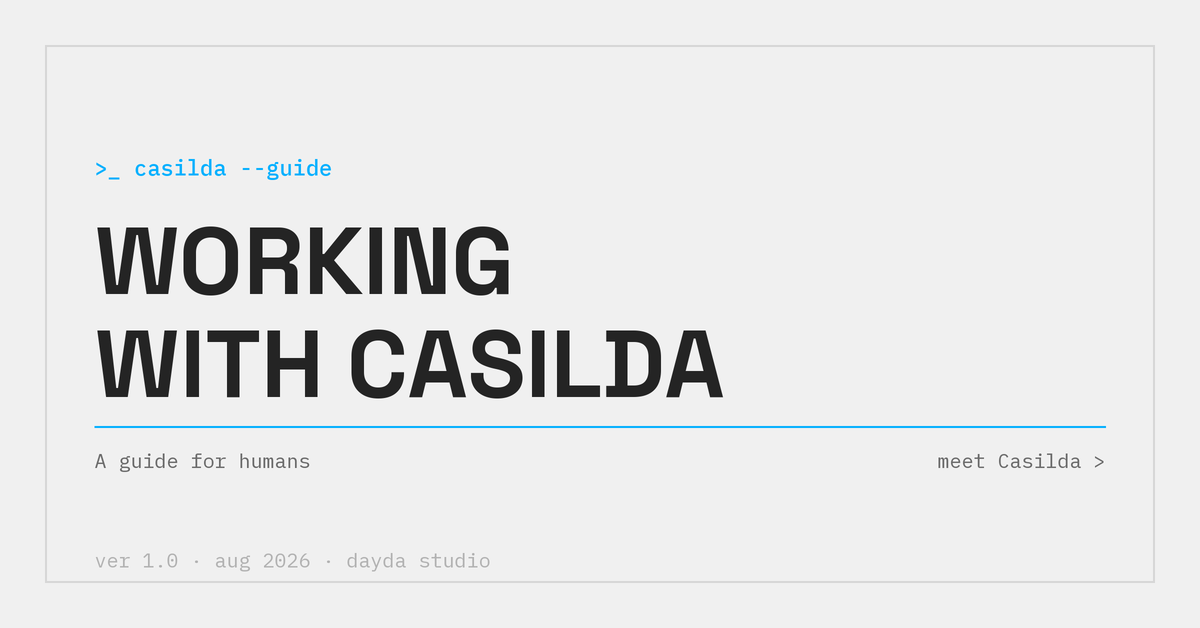 An interactive guide to working with a talent concierge agent, built for Dayda. Two schemes, two languages.
open the guide ↗
An interactive guide to working with a talent concierge agent, built for Dayda. Two schemes, two languages.
open the guide ↗
>_ exploration
Meet Jane & Chronicle
 explore chronicle →
>_ --slaying --with --cuteness
explore chronicle →
>_ --slaying --with --cuteness
>_ exploration
Sweet Dreams
 explore nocturne →
>_ --dream --a --little --dream
explore nocturne →
>_ --dream --a --little --dream
>_ exploration
Know Your Galangal From Your Ginger
 explore the thai pantry →
>_ --spicy --sour --sweet --salty
explore the thai pantry →
>_ --spicy --sour --sweet --salty
>_ exploration
Snacktastic
 explore snackbloom →
>_ --snack --happy
explore snackbloom →
>_ --snack --happy
>_ exploration
One Small Step for Luxury
 explore luminara →
>_ --made --of --cheese
explore luminara →
>_ --made --of --cheese
>_ artifact
Claude Code for Designers · Syllabus
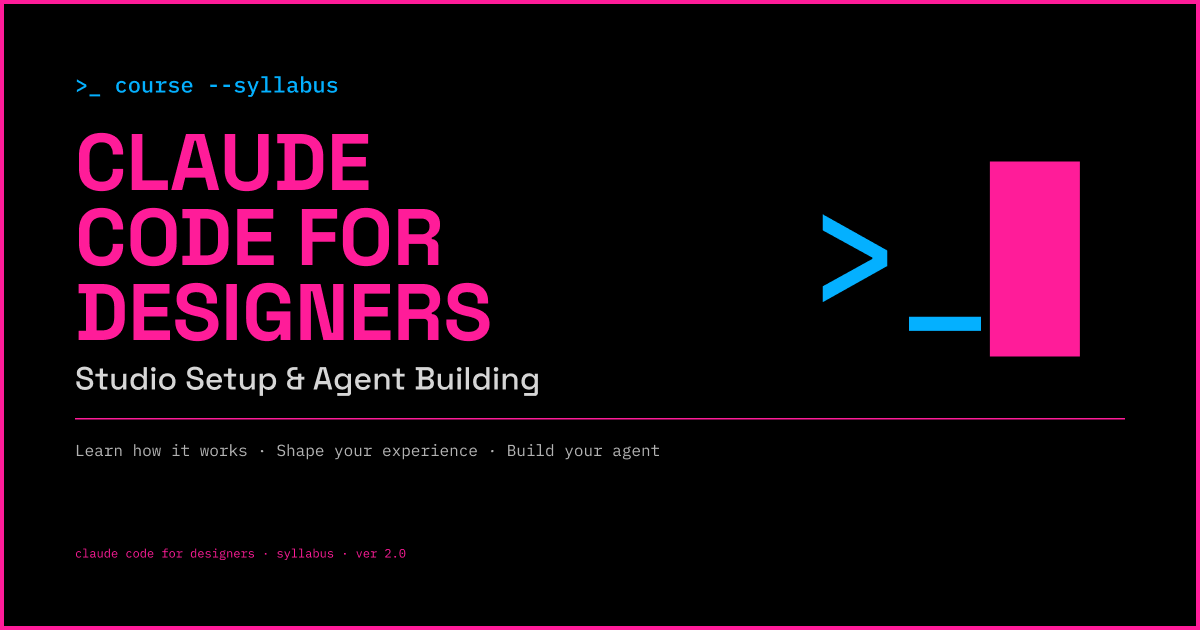 A course syllabus as a living document rather than a PDF.
open the syllabus ↗
A course syllabus as a living document rather than a PDF.
open the syllabus ↗